One line, start to finish (an example)
The key was still in the lock.
RUКлюч всё ещё был в замке́.
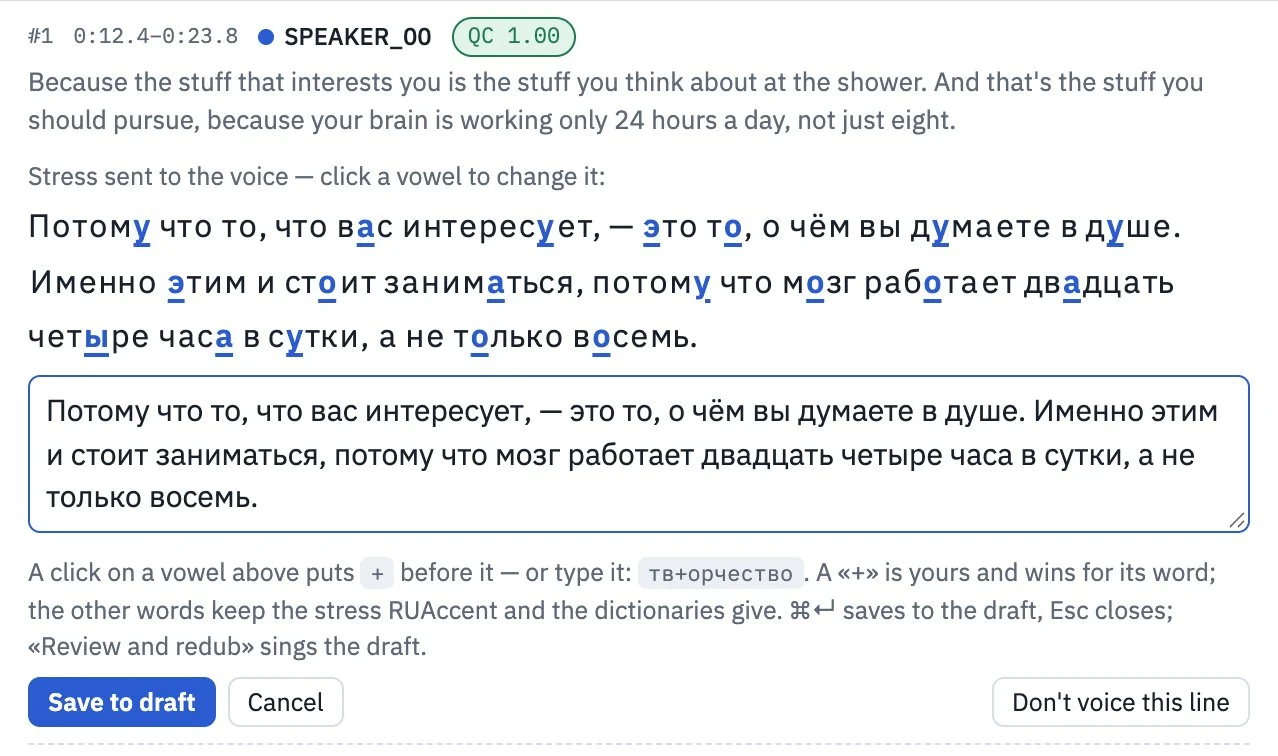
typed in the editor as в замк+е
Russian doesn't write stress. Left unmarked, a voice can read в за́мке, “in the castle”. Samevoice marks the stress, voices the line in speaker B’s own voice inside the original slot, then has Whisper listen back and compare it with the script.
The editor
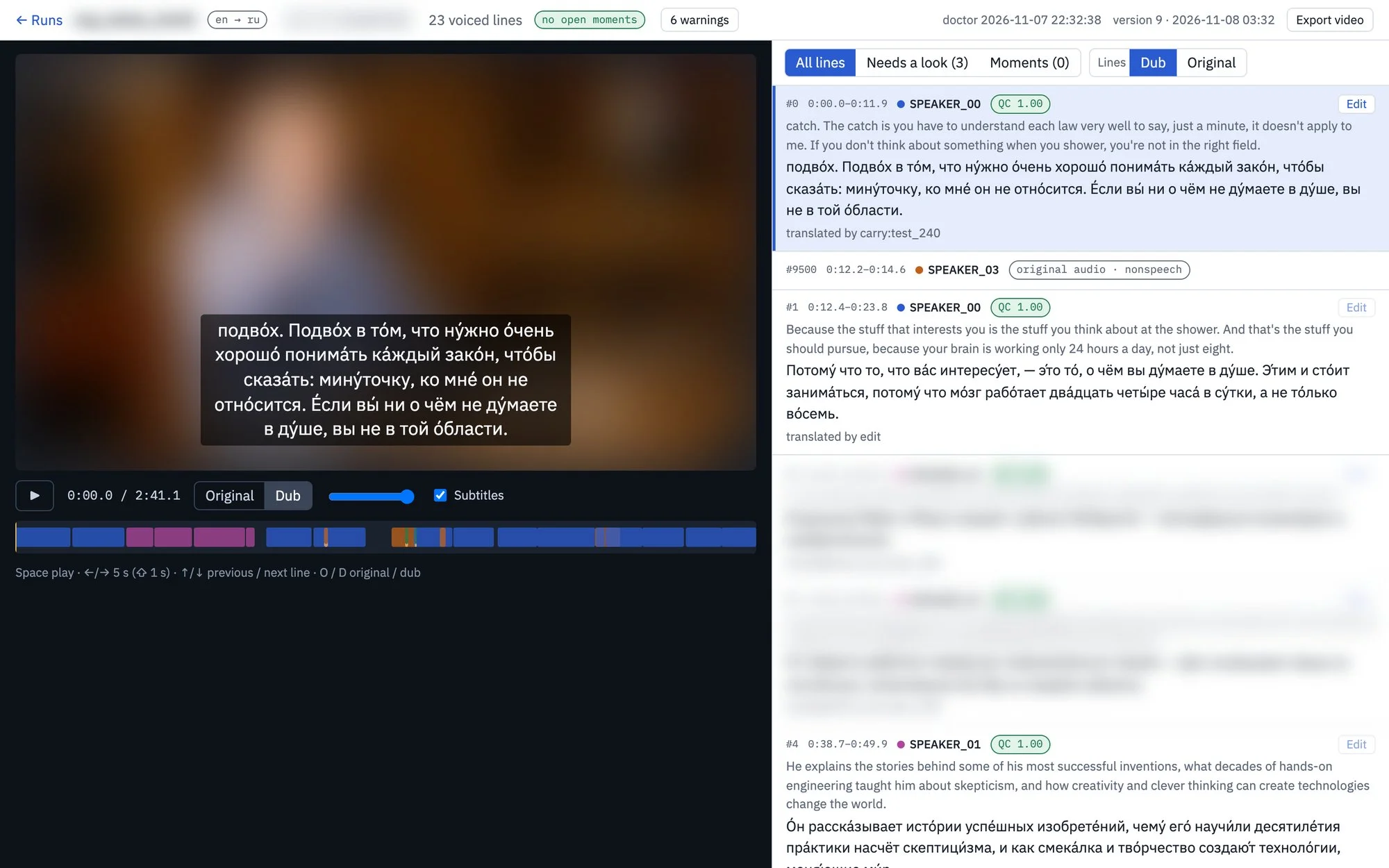
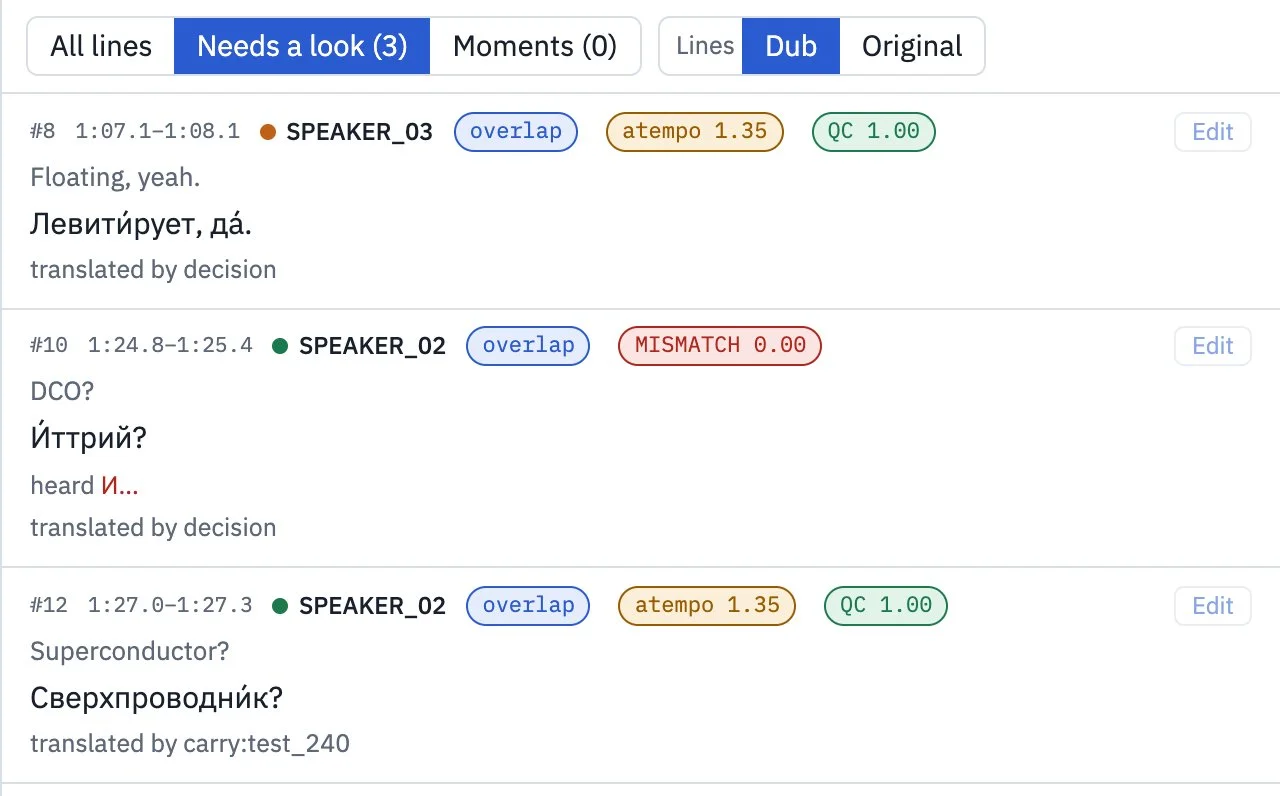
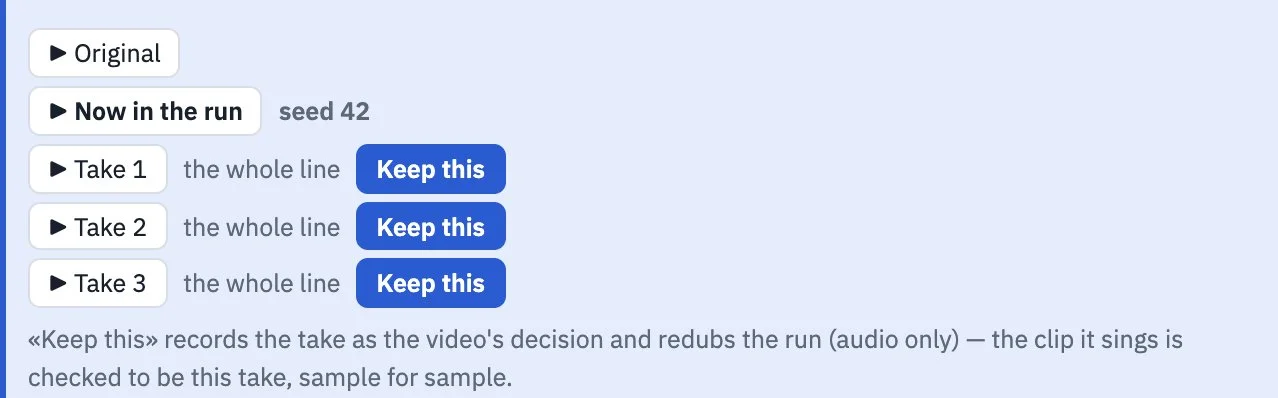
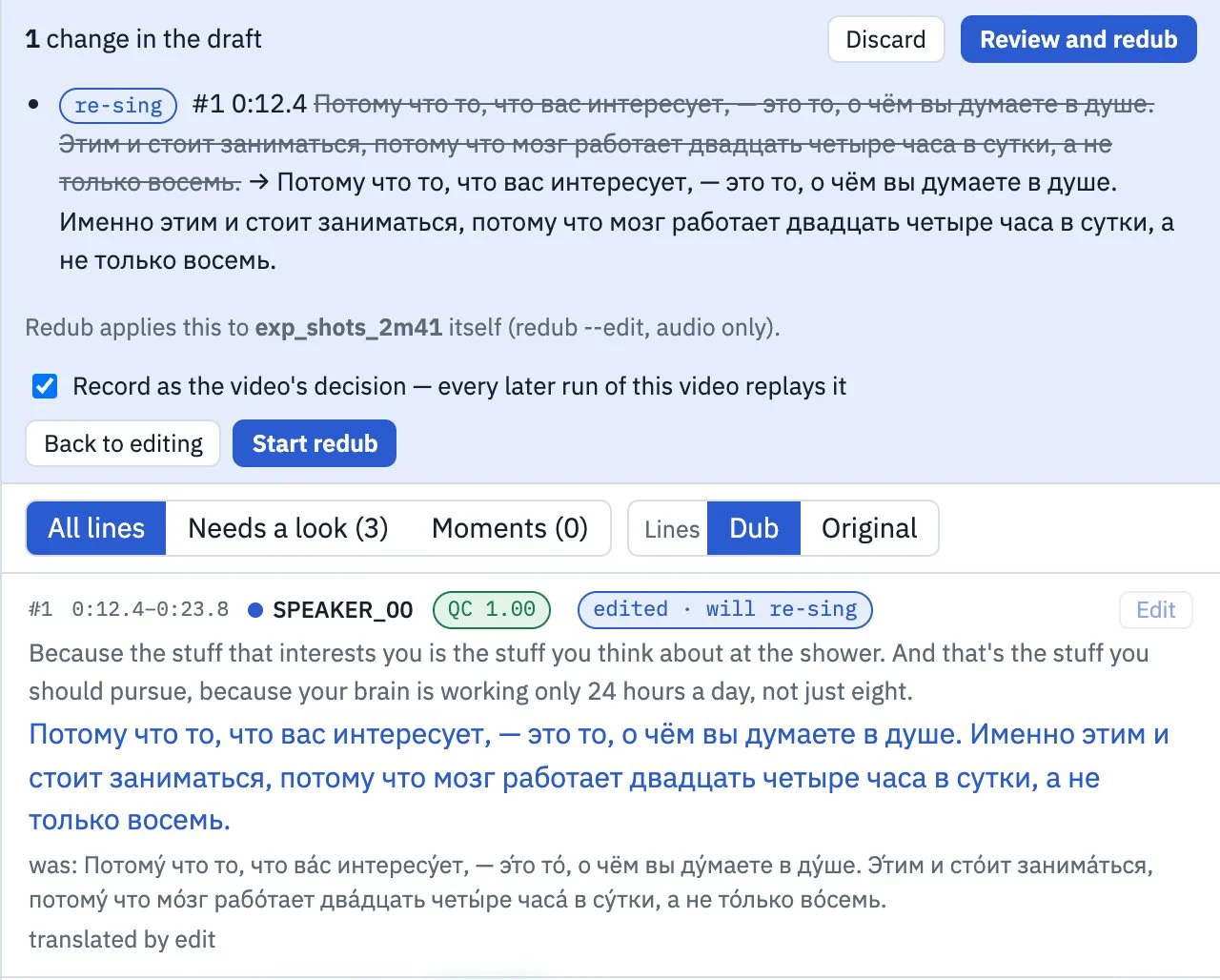
The translator works in the browser. The video plays with the original or the dub on one clock, the lines follow along, and the ones Samevoice flagged are one click away. She changes the Russian, a “+” sets the stress, presses Redub and hears the new take a minute later. Takes can be compared and kept, and the finished video is exported from the same page.
Abstract
Samevoice dubs English talk video into Russian, with every speaker voiced by a clone of their own voice and timed to the original lines. It has dubbed a two-hour, multi-speaker episode end to end, and a translator can fix a line in the browser and hear it again in under a minute. The models were the easy part. Most of the work went into what happens between them: how long a line may last, where Russian puts its stress, what Whisper silently leaves out, and how to keep a long unattended run honest. It was built in two months by one person directing AI coding agents, with every change measured on four reference videos and read by independent AI reviewers.
Why
Subtitles keep the speaker’s voice but make the viewer read. A studio dub lets the viewer watch, but gives the speaker an actor’s voice. Voice-cloning models such as F5-TTS can now speak a translated line in the original speaker’s voice from a few seconds of their audio. Going from one good sentence to a two-hour episode that sounds right takes a pipeline around the model.
The pipeline
- Whisper
- →
- lines
- →
- translation
- →
- stress marks
- →
- F5-TTS
- →
- listen back
- →
- assemble
Whisper writes down every word with its time. The text is cut into lines at sentence ends. A translator, human or model, writes the Russian, and every answer is checked for length and terms. RUAccent marks the stress. F5-TTS, fine-tuned for Russian, voices each line from a short sample of its speaker. Whisper then listens to every clip and compares it with the script. Finally the clips go back on the original clock at the original loudness, with laughter and music mixed back in.
Four things the data taught us
The model was counting bytes
F5 doesn’t measure how long a line should be. It computes the length from the voice sample, as seconds per byte of text:
duration = sample_seconds × bytes(line) ÷ bytes(sample_text)
An English sample is one byte a letter. A Russian line with stress marks is 1.92 bytes a letter, because Cyrillic takes two. So every Russian line was given about 1.9 times the time its speaker needs. Speed-ups further down the pipeline hid it, and the lines matched the lips only by coincidence: 1.9 ÷ 1.3 ÷ 1.35 ≈ 1.08. Now a line lasts as long as the original line, kept between 9 and 13 characters a second, and the model is never asked to speak faster than 13.
Whisper goes quiet on long monologues
On a 123-minute single-speaker track, Whisper lost its punctuation and skipped speech for 19.7 minutes, until the pass ended. The usual answer, fixed chunks, barely helped. What worked was watching for the collapse and restarting from the last full sentence before it.
A gap is not always silence
In one run the dub played 28 seconds of the original English. Whisper had skipped 29.7 seconds of speech inside one pass, and the step that brings back laughter took that gap for a laugh. Now every sound brought back is transcribed first. Speech found there is reported as a hole in the transcript and never pasted into the dub.
The voice sample must say what its text says
F5 clones a voice from a short clip and that clip’s text. When the text doesn’t match the audio exactly, the model “finishes” the sample at the start of every line it speaks. So each speaker’s sample text is Whisper’s own transcription of that clip, not the episode’s transcript.
How it was built
One person set the goals and judged every rendering by ear. Claude, working through Claude Code, wrote most of the code, tests and design notes. Codex and separate review rounds read the changes. Over 149 commits since 12 September 2026 there have been 140 external review rounds, each kept word for word with the response, the measurement and the fix. A few rules did most of the work:
- Measure first, change, measure again. A change that affects the voices gets a table of numbers on a 2:41 reference clip before anyone listens. The ear decides after.
- Four reference videos: 2 min 41 s, 20 minutes, the whole two-hour episode, and 5 min 16 s made of every moment that ever stopped a run. A checker, called the doctor, must pass on all four after every change.
- Built for the next video. No speaker names in the code, and thresholds relative to the input, such as a share of the speaker’s own level or a fraction of the line’s slot.
- Loud, not quiet. When a stage can’t decide, say between speech and a laugh, it stops with the time span and the reason, and a person accepts it on record.
Where it stands
The whole episode has been dubbed on a Mac with Apple Silicon and on one cloud GPU, an NVIDIA T4. The translator’s editor runs in the browser. The GPU wakes when she signs in and sleeps 30 minutes after the last work. Keeping Whisper, F5 and RUAccent loaded between edits took a one-line fix from 110 to 57 seconds, with the output byte for byte the same as a cold run.
The editor
Watching the dub, fixing a line’s words or stress, and voicing it again all happen on one page in the browser. The screenshots below are from the editor running on a Mac, on the 2:41 test clip. The picture and the names of the people in it are blurred.
What’s next
Other languages come first. The transcript rules are English-only for now, and a first Turkish trial showed the open Turkish voice models aren’t ready: one leaked the English sample into the dub, another ignored the timing. After that, faster first runs on the GPU.